Building a desktop computer is one of the most rewarding experiences for gamers, content creators, professionals, and PC enthusiasts. At the heart of every successful build is the motherboard—the critical backbone that connects your processor, memory, storage, graphics card, and peripherals into one cohesive, powerful system.
However, selecting the right foundation is often easier said than done. Choosing the wrong motherboard can lead to frustrating compatibility issues, limited upgrade paths, thermal bottlenecks, and wasted money. On the other hand, selecting the perfect ATX motherboard ensures your PC performs at its peak today while remaining agile enough to handle tomorrow’s hardware upgrades.
In this comprehensive guide, we will cut through the technical jargon to help you navigate the market. We’ll explore the core essentials of ATX boards and reveal the 9 most costly mistakes builders make—so you can avoid common pitfalls and build a system that is as reliable as it is powerful.
| Feature | Details |
| Product | ATX Motherboard |
| Form Factor | Standard full-size desktop motherboard |
| Dimensions | 305 × 244 mm (12 × 9.6 inches) |
| Best For | Gaming, content creation, workstations, professional PCs |
| RAM Support | Usually 4 DIMM slots (DDR4 or DDR5 depending on model) |
| Expansion Slots | Multiple PCIe x16 and PCIe x1 slots |
| Storage | Multiple M.2 NVMe SSD slots and SATA ports |
| Connectivity | USB-C, USB 3.2, Ethernet, Wi-Fi (model-dependent), Bluetooth |
| Main Advantage | Excellent performance, expandability, and future upgrades |
| Ideal Users | Gamers, creators, professionals, and PC enthusiasts |
What Is an ATX Motherboard?
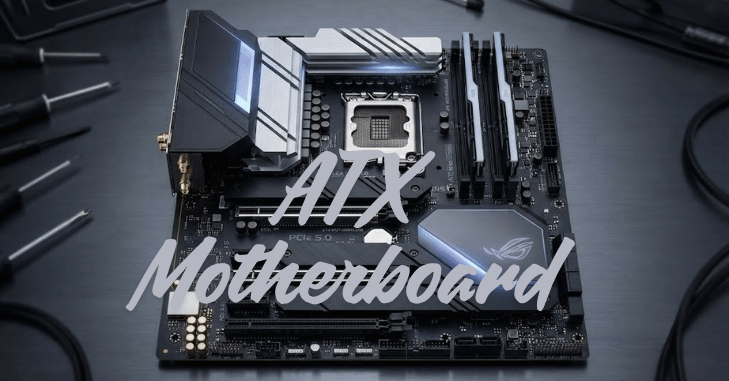
An ATX motherboard is the standard full-size motherboard form factor used in most desktop computers. Originally introduced by Intel in 1995, the Advanced Technology eXtended (ATX) design has become the industry benchmark for its excellent balance of performance, expandability, and compatibility.
Measuring approximately 305 × 244 mm (12 × 9.6 inches), an ATX provides ample space for powerful components, making it the preferred choice for gamers, content creators, professionals, and PC enthusiasts.
Unlike smaller motherboard formats such as Micro-ATX or Mini-ITX, an ATX includes more PCIe expansion slots, additional RAM slots, multiple M.2 SSD connectors, extra SATA ports, and a wider range of USB and internal headers.
Why Choose an ATX Motherboard?
Choosing an ATX is one of the best decisions you can make when building a desktop PC because it offers the perfect combination of performance, flexibility, and future-proofing. As the industry-standard motherboard form factor, ATX offers more space for components and a wider range of features than smaller alternatives such as Micro-ATX or Mini-ITX.
Whether you’re building a gaming rig, a professional workstation, or a high-performance home computer, an ATX motherboard gives you the freedom to customize your system without unnecessary limitations. One of the biggest advantages of an ATX is its excellent expandability. Most models include multiple PCIe expansion slots for graphics cards, capture cards, sound cards, and other add-on devices.
Main Components of an ATX Motherboard
CPU Socket
- AMD AM5
- Intel LGA1700
- Newer Intel sockets for future generations
Chipset
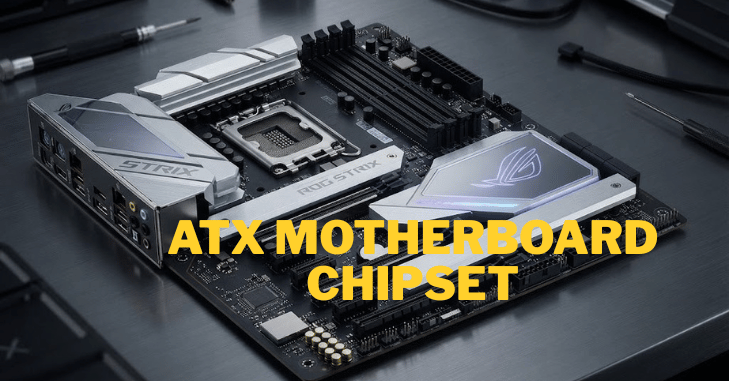
The chipset is one of the most important components of an ATX motherboard because it determines many of the board’s capabilities and features. It acts as the communication hub between the processor, memory, storage devices, and expansion slots, ensuring that all hardware works together efficiently.
Intel
- B760
- Z790
- Z890
AMD
- B650
- X670
- X870
Premium chipsets generally offer more connectivity, overclocking support, and expansion options.
RAM Slots
RAM slots are an essential feature of an ATX motherboard because they determine how much memory your system can support and how easily you can upgrade it in the future. Most standard ATX boards include four DIMM slots, allowing users to install memory in dual-channel configurations for improved performance.
PCI Express Slots
PCIe slots allow installation of:
- Graphics cards
- Capture cards
- Sound cards
- RAID controllers
- High-speed expansion cards
ATX boards typically include multiple PCIe slots, making them ideal for advanced builds.
Storage Connections

Modern ATX provides the following:
- Multiple M.2 NVMe SSD slots
- SATA ports
- RAID support
- PCIe Gen4 or Gen5 SSD compatibility
Faster storage significantly improves system responsiveness.
Who Should Buy an ATX Motherboard?
An ATX motherboard is the ideal choice for users who need a balance of high performance, expandability, and long-term reliability. It is perfect for gamers who want to install powerful graphics cards and advanced cooling systems, streamers who require multiple expansion slots for capture cards and peripherals, and video editors or content creators working with large files and demanding software.
Software developers, engineers, and 3D designers also benefit from the additional RAM capacity, faster storage options, and superior multitasking capabilities that ATX provides. Even if you’re a first-time PC builder, a motherboard offers plenty of room for future upgrades, making it a smart long-term investment.
Common Buying Mistakes That Can Limit Your PC’s Performance
Choosing the right ATX motherboard isn’t just about selecting a compatible model—it’s also about planning for your future computing needs. Many PC builders focus only on their current hardware and overlook features that affect long-term performance, upgradeability, and overall value.
The following mistakes are among the most common and can lead to unnecessary expenses, limited expansion options, or reduced system reliability. By understanding and avoiding these pitfalls, you can build a PC that performs well today and remains easy to upgrade for years to come.
Buying Without Checking CPU Compatibility
One of the biggest mistakes is purchasing a motherboard that doesn’t support your processor.
Always confirm:
- Socket type
- Chipset compatibility
- BIOS support
Ignoring Your PC Case Size
- An ATX motherboard requires an ATX-compatible computer case.
- Buying a smaller case often results in installation problems.
Choosing the Cheapest Board

Budget motherboards may lack the following:
- Quality VRMs
- Cooling
- Expansion slots
- USB ports
- Wi-Fi
- Future upgrade support
Spending a little more often provides better long-term value.
Overlooking Power Delivery
Strong VRMs are essential for modern CPUs.
Poor VRMs can lead to:
- Reduced performance
- Thermal throttling
- Lower stability
- Limited overclocking
Ignoring BIOS Features
Modern BIOS interfaces offer:
- Easy overclocking
- Fan control
- Secure updates
- Hardware monitoring
- Performance tuning
A user-friendly BIOS simplifies future maintenance.
ATX vs Micro-ATX vs Mini-ITX
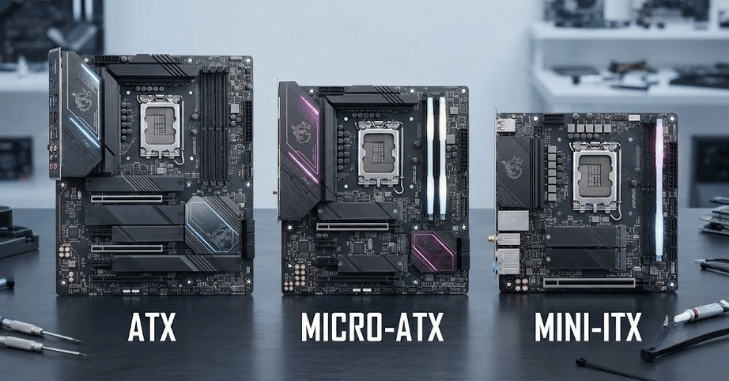
| Feature | ATX | Micro-ATX | Mini-ITX |
| Expansion | Excellent | Good | Limited |
| RAM Slots | Usually 4 | Usually 4 | Usually 2 |
| Cooling | Excellent | Good | Limited |
| Gaming | Excellent | Very Good | Good |
| Compact Size | No | Moderate | Yes |
| Upgrade Potential | Best | Good | Limited |
Features to Prioritize
When choosing an ATX motherboard, it’s important to focus on the features that will have the greatest impact on your system’s performance, reliability, and upgrade potential. Rather than paying for extras you may never use, prioritize the specifications that match your processor, workload, and long-term plans.
A well-equipped motherboard should provide strong power delivery, modern connectivity, and enough expansion options to support future hardware upgrades. Start by selecting a motherboard with a compatible CPU socket and chipset that supports your chosen processor.
Tips for Choosing the Right ATX Motherboard
- Match the motherboard to your CPU.
- Confirm your case supports ATX.
- Choose a chipset that fits your needs.
- Buy enough RAM capacity for future upgrades.
- Ensure sufficient PCIe and M.2 slots.
- Prioritize cooling and power delivery.
- Read professional and user reviews.
- Update the BIOS if necessary before installing newer CPUs.
Micro-ATX
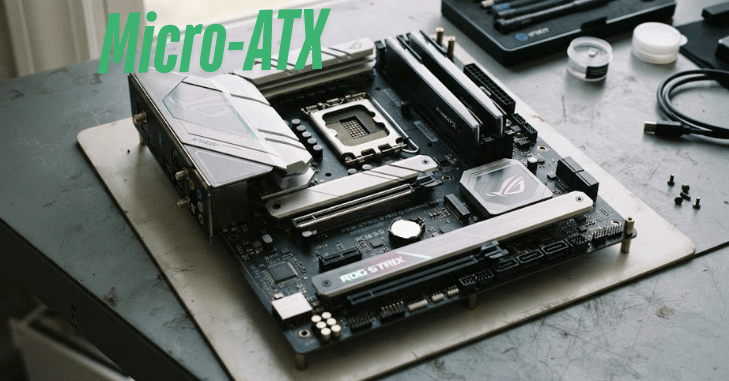
Micro-ATX (mATX) is a smaller motherboard form factor designed for users seeking a balance among performance, affordability, and compact size. Measuring 244 × 244 mm (9.6 × 9.6 inches), a Micro-ATX motherboard fits into both Micro-ATX and most standard ATX computer cases.
Most Micro-ATX boards include two to four RAM slots, one or two PCIe x16 slots for graphics cards, multiple M.2 NVMe SSD connectors, SATA ports, and modern connectivity options such as USB 3.2, USB-C, Wi-Fi, Bluetooth, and Gigabit or 2.5 Gigabit Ethernet, depending on the model.
Final Thoughts
An ATX motherboard is far more than just a place to plug in your components; it is the infrastructure that defines your PC’s performance, stability, and long-term lifespan. Whether you are assembling a high-octane gaming rig, a professional-grade workstation, or a versatile home media center, the quality of your motherboard determines how much power you can extract from your hardware.
By carefully considering CPU compatibility, prioritizing robust power delivery (VRMs), and avoiding the common pitfalls of budget-over-value decision-making, you are setting yourself up for success. Remember: a motherboard is the one component you don’t want to replace halfway through your PC’s life.
Want to know about Pre-Built Gaming PC: Complete Guide, Features, Benefits, Buying Tips, Performance, and More Info Check out our Gaming category.
Frequently Asked Questions (FAQs)
For most users who want better expansion, cooling, and upgrade options, yes. Micro-ATX is a good choice for smaller builds, but ATX generally provides greater flexibility.
No. It requires a case that explicitly supports the ATX form factor.
Most standard motherboards include four RAM slots, allowing easy memory upgrades
It offers ample room for high-end graphics cards, fast storage, efficient cooling, and future upgrades, making it one of the best choices for gaming PCs.
With proper care, a quality motherboard can last 7–10 years or longer, depending on usage and hardware compatibility.